
Fullerton, CA · Walk-ins Welcome

Battery Replacement in Fullerton, CA

Lithium batteries wear out. After a few hundred charge cycles the same battery holds noticeably less power, and the device starts shutting down or throttling to cope.

A replacement restores normal runtime without replacing the whole device — and it is one of the few repairs where we can usually confirm the fault quickly.

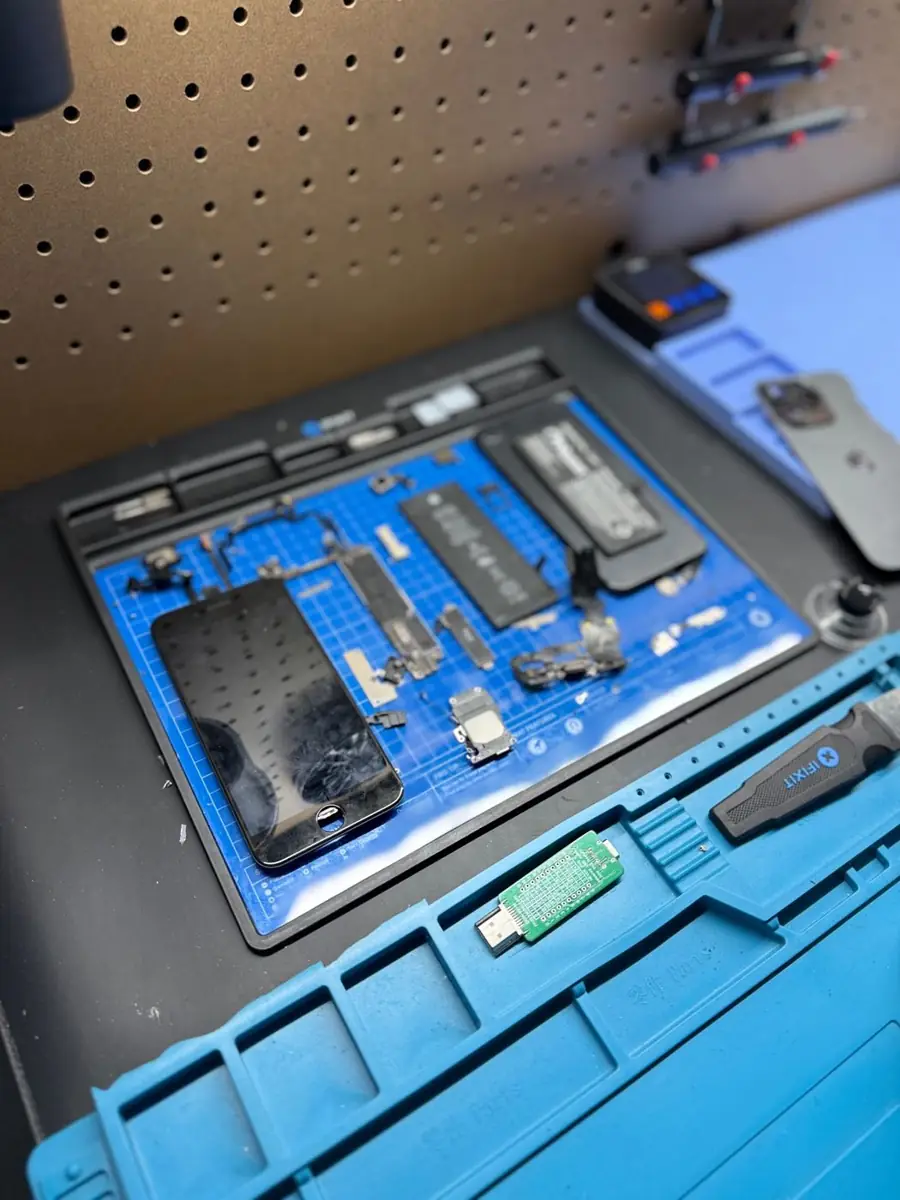
iPhone opened for battery replacement with parts laid out at OneClick Phone Repairs in Fullerton, CA

Trained repair technicians

Including a certified advanced repair technician

Warranty varies by repair

Coverage confirmed with your quote

Same-day on many repairs

Depending on parts and device condition

No surprise pricing

Your exact price texted before we start

Signs Your Battery Is Done

Devices We Replace Batteries In

  • iPhone — all recent generations
  • Samsung Galaxy and other Android phones
  • iPad and Android tablets
  • Compatible MacBook and Windows laptops

What The Replacement Involves

  1. 1

    Battery health check

    We read cycle count and capacity where the device reports it, and test charging behavior under load.

  2. 2

    Safe removal

    Adhesive is released carefully — a punctured or bent cell is a fire risk, so this step is never rushed.

  3. 3

    Fitting and calibration

    The new cell is installed, seals and brackets refitted, then charge and discharge behavior is verified.

  4. 4

    Post-repair testing

    We confirm charge rate, temperature and that any related warnings have cleared.

Swollen Or Very Hot? Stop Using It

If the screen or back panel is lifting, or the device becomes unusually hot, stop using it and stop charging it. Power it down, keep it away from anything flammable, and call the shop so we can advise on bringing it in safely.

Turnaround

Phone battery replacements are typically same day when the cell is in stock. Tablets and laptops take longer because of the adhesive and disassembly involved.

Warranty

Battery replacements carry a one-year warranty covering the cell we install and the workmanship on that repair, subject to the exclusions in our warranty policy.

Warranty varies by repair and part quality and is confirmed with your quote. See the full warranty policy.

What Our Technicians Check

  • Battery health, cycle count and voltage under load, not just the on-screen percentage
  • Whether the drain is the cell or a component holding the device awake
  • Signs of swelling, which lift the display or trackpad and need immediate handling
  • Charging circuitry and port, so a bad port is not mistaken for a bad battery

Repair Options We Can Offer

  • Standard replacement cell for phones and tablets
  • Laptop and console battery replacement where the pack is serviceable
  • Battery plus port service together when testing shows both are contributing

Realistic Turnaround

Same day on many repairs when the part is in stock. Less common parts are ordered in, and advanced or board-level work may take longer.

Warranty for This Repair

Battery replacements carry a 1-year warranty.

When Diagnostics Apply

Standard diagnostics apply when a device drains quickly but still runs normally. Advanced diagnostics apply when it will not power on, gets hot without charging, or shows drain after liquid exposure.

iPhone Battery Symptoms

A worn battery is a common cause of these symptoms, but not the only one. Restarts and shutdowns can also come from software or board faults, so we check before recommending a battery.

  • Rapid drain: The charge drops far faster than it used to under the same use.
  • Unexpected shutdowns: The phone turns off with charge remaining, especially in cold weather or under load.
  • Jumping percentage: The battery level leaps up or down instead of moving steadily.
  • Only works while plugged in: The phone shuts down as soon as the cable is removed.
  • Battery service message: Settings shows a battery health or service warning on supported models.
  • Swelling or a lifting screen: A safety concern — stop charging the phone and bring it in rather than pressing the screen back down.

Restarting in a loop or random shutdowns with a newer battery usually need testing first. Learn about diagnostics.

See all iPhone repair options or pick a recent model: iPhone 17e, iPhone 17 Pro Max, iPhone 17 Pro, iPhone 17.

Repair Answers

Short answers to common symptoms. They describe likely causes; an in-shop inspection confirms the actual one.

Why is my iPhone battery draining fast?

Fast drain can be caused by a worn battery, but apps, settings or a recent update can drain a healthy battery too. Check Battery Health and battery usage in Settings first; a technician can test the battery to confirm whether replacement will help.

Possible causes
  • A worn battery with reduced capacity
  • Background apps, location services or a recent iOS update
  • Less often, a component drawing power it shouldn't
Likely next step
Review Settings > Battery for health and usage. If health is low or drain continues, bring it in for battery testing.
When diagnostics are needed
Diagnostics apply if the phone also gets hot, restarts, or drains while powered off.

What does a swollen phone battery look like, and what should I do?

A swollen battery can push the screen up, open a gap along the edge, make the back bulge or cause the phone to rock on a flat surface. Stop charging it, don't press on it or try to open it, and bring it to the shop so the battery can be removed safely.

Possible causes
  • Battery age and heat exposure
  • Charging with damaged or low-quality chargers
  • Physical damage to the battery
Likely next step
Stop using and charging the device, keep it away from heat, and bring it in as soon as you can.
When diagnostics are needed
After the battery is removed, a technician checks whether the swelling damaged the screen or frame.

Frequently Asked Questions

Will a new battery fix random shutdowns?

Often yes, because shutdowns under load are a classic sign of a worn cell. If testing points at a charging or board fault instead, we tell you before replacing anything.

Is a swollen battery dangerous?

It can be. A swollen cell is under mechanical stress and should not be charged or punctured. Power the device off and bring it in — do not try to pry it apart yourself.

Will the battery health warning go away?

On many devices it does. Some models display a service message tied to part pairing even with a working replacement, and we explain whether that applies to your model before the repair.

How long does a battery replacement take?

Most phone batteries are done the same day. Tablets and laptops usually need longer and are sometimes kept overnight.

How do I know it is the battery and not the charger or port?

We measure charge current at the port and battery behaviour under load. If the cell is healthy and the port is not drawing correctly, we tell you that instead of selling you a battery.

My phone shows a service or unknown-part battery message. Can you still replace it?

Yes. Some models display a parts or service notice after any battery change, including manufacturer service. We tell you up front whether your model shows that message so it is never a surprise.

The back of my device or trackpad is lifting — is that urgent?

Yes. That is normally a swollen battery, and it should stop being charged or carried loose. Bring it in and we handle it safely.

Does a new battery need calibrating?

Modern devices manage this themselves. We run a full charge cycle check before handing the device back so you can see the reported health.

Repairs by Device

Related Services

Visit Our Fullerton Repair Shop

Visit our Fullerton repair shop on W Chapman Ave. We also serve customers coming from Brea, Anaheim, Placentia and Orange. Many common repairs can be completed the same day when parts are available.

Not sure if we cover you? Call or text (714) 805-9745 and we'll tell you straight.

Visit the Shop

137 W Chapman Ave Suite B, Fullerton, CA 92832

Mon–Sat 9am–8pm · Sun 9am–6pm

Get Your Repair Price in Minutes