Fullerton, CA · Walk-ins Welcome

Screen Repair in Fullerton, CA

A broken display is the repair we see most, and it is rarely just the glass. Touch layers, the display panel itself and the frame around it all affect which repair option is right for your device.

Bring the device to our Fullerton shop and a technician inspects it before recommending anything, so you know what is actually wrong before you approve the work.

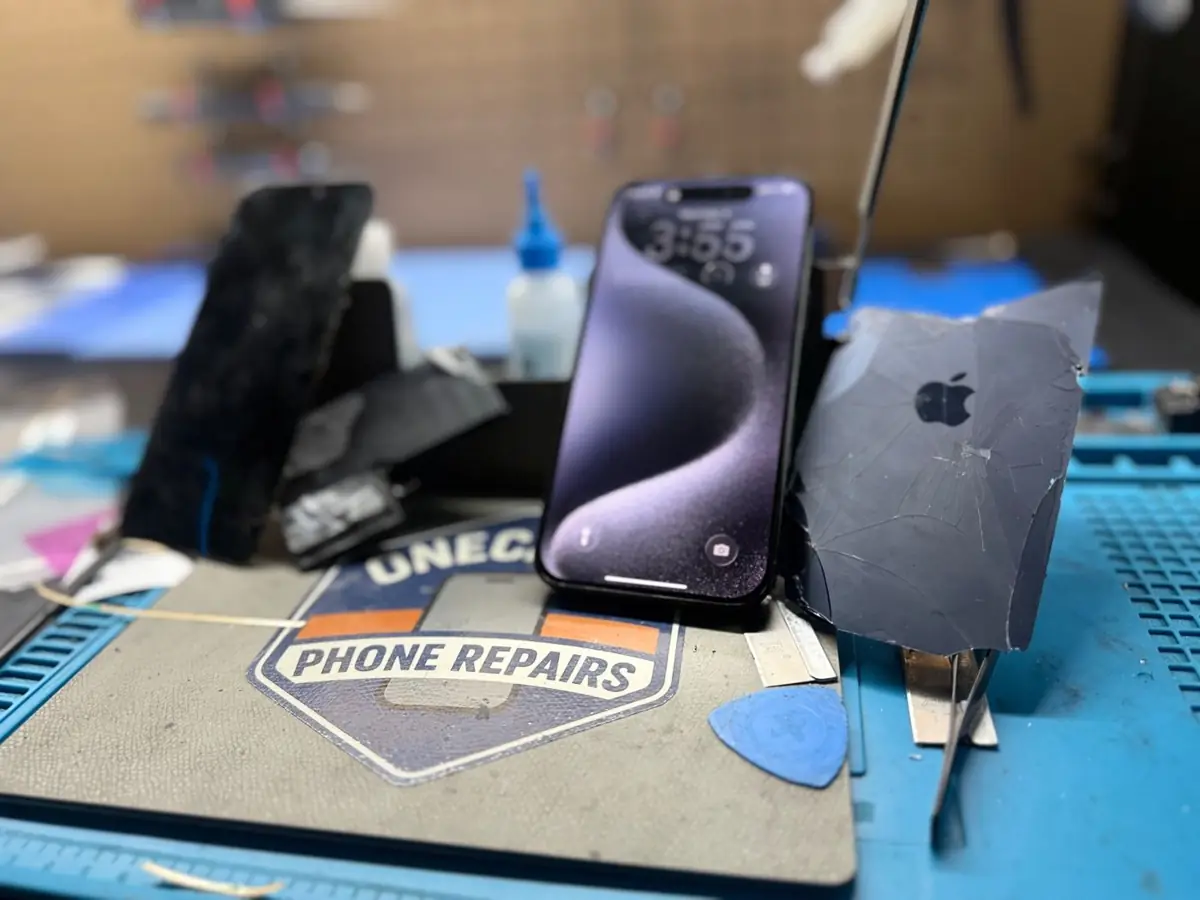
iPhone with a cracked screen on the repair bench at OneClick Phone Repairs in Fullerton, CA

Trained repair technicians

Including a certified advanced repair technician

Warranty varies by repair

Coverage confirmed with your quote

Same-day on many repairs

Depending on parts and device condition

No surprise pricing

Your exact price texted before we start

Symptoms We See Most

Devices We Replace Screens On

  • iPhone — recent and older generations
  • Samsung Galaxy S, Note and A series
  • Google Pixel and other Android phones
  • iPad, iPad Pro, Air and mini
  • Android tablets including Galaxy Tab

What The Repair Involves

  1. 1

    Inspection first

    We check the frame, housing and mounting points for bends or impact damage that would stop a new display from seating correctly.

  2. 2

    Display testing

    Touch, brightness, true tone where applicable, proximity sensing and front camera alignment are all tested before and after.

  3. 3

    Choosing the option

    Several display options exist for many models. They differ in panel type and in the coverage that comes with them, and we explain the trade-offs before you decide.

  4. 4

    Reassembly and check

    Seals, brackets and shields are refitted, then the device is retested before you pick it up.

Frame Damage Changes The Plan

If the housing is bent or the display sits proud of the frame, a new screen alone can fail early. When we find that, we tell you before starting rather than after.

Turnaround

Many screen replacements are finished the same day when the display for your model is in stock. Less common models may need a part ordered in.

Warranty

Screen coverage depends on the device and the panel you choose — iPhone soft OLED screens carry a lifetime warranty, standard LCD screens six months, and Samsung and other Android displays carry no warranty.

Warranty varies by repair and part quality and is confirmed with your quote. See the full warranty policy.

What Our Technicians Check

  • Whether the glass, the display panel or the touch layer is the actual fault
  • Frame and housing flatness, since a bent chassis stops a new display seating properly
  • Display connectors and their shields for impact damage or corrosion
  • Front camera, earpiece, proximity and brightness behaviour before and after the swap

Repair Options We Can Offer

  • iPhone soft OLED — closest to the original panel and the option with the longest coverage
  • Standard LCD on models where it exists — a lower-cost option with shorter coverage
  • Original or refurbished original assemblies on some models when available
  • Samsung and other Android displays, which are supplied without a repair warranty

Realistic Turnaround

Same day on many repairs when the part is in stock. Less common parts are ordered in, and advanced or board-level work may take longer.

Warranty for This Repair

iPhone soft OLED screens carry a lifetime warranty, original or refurbished originals 1 year, standard LCD 6 months. Samsung and other Android displays carry no warranty.

When Diagnostics Apply

A straight cracked-glass replacement normally needs no diagnostic. Standard diagnostics apply when the display is dark but the device still responds. Advanced diagnostics apply when the screen problem follows liquid exposure or the device will not power on at all, because the fault may be on the board.

iPhone Screen Problems We See

iPhone display faults don't always look like a cracked screen. These symptoms often point toward display damage, but a technician inspects the phone to confirm the cause before recommending a repair.

  • Cracked glass: Visible cracks, with the picture and touch still working or starting to fail.
  • Black display, phone still on: It rings, vibrates or connects, but nothing shows on screen.
  • Green tint or vertical lines: Colored lines or a green cast, often after a drop or pressure on the panel.
  • Black spots or ink-like patches: Dark blotches that spread across the OLED panel.
  • Touch or ghost-touch issues: Dead zones, or the phone taps and swipes on its own.

If the phone won't power on at all, the display may not be the cause. See repair diagnostics.

See all iPhone repair options or pick a recent model: iPhone 17e, iPhone 17 Pro Max, iPhone 17 Pro, iPhone 17.

Repair Answers

Short answers to common symptoms. They describe likely causes; an in-shop inspection confirms the actual one.

Why is my iPhone screen green?

A green tint or green glow on an iPhone often points to a failing or damaged OLED display, especially after a drop or pressure on the screen. A software glitch can occasionally cause it, so a restart and update are worth trying first; if the green stays, inspection confirms whether the display needs replacing.

Possible causes
  • Impact or pressure damage to the OLED panel
  • A display connector that has shifted after a drop
  • Less often, a software or display-setting issue
Likely next step
Restart the phone and check for an iOS update. If the tint remains, bring it in for a screen inspection.
When diagnostics are needed
Diagnostics apply when the screen looks undamaged, the problem started after liquid exposure, or the phone also has other faults.

Why does my iPhone have vertical green, white or pink lines?

Vertical lines usually come from damage inside the display panel or its connection, often after a drop, even when the glass is not cracked. Lines that stay put through a restart are rarely fixed by software; a technician confirms whether a screen replacement will resolve them.

Possible causes
  • Internal display damage from a drop or bend
  • A loose or damaged display flex connection
  • Liquid reaching the display area
Likely next step
Back up the phone while the screen is still usable, then have the display inspected.
When diagnostics are needed
If lines appeared after liquid exposure or come with touch, charging or restart problems, a diagnostic checks for issues beyond the screen.

Why is my iPhone screen black but it still rings or vibrates?

If the phone still rings, vibrates or connects to a computer while the screen stays black, the display or its connection is a likely cause rather than the whole phone. A forced restart is worth trying; if the screen stays dark, inspection confirms whether the display, its connector or the board is responsible.

Possible causes
  • A failed display after a drop or pressure
  • A display connector that came loose
  • Less often, a backlight or board-level fault
Likely next step
Try a forced restart for your model. If it stays black, bring it in so a technician can test it with a known-good screen.
When diagnostics are needed
Diagnostics apply when a test screen does not light up either, which points beyond the display.

Frequently Asked Questions

Can you fix just the glass and keep the original display?

On some devices glass-only work is possible, but on most modern phones the glass and display panel are bonded into one assembly, so the assembly is replaced. A technician tells you which applies to your device after inspecting it.

The screen looks fine but touch does not work — is that still a screen repair?

Usually yes, because the touch layer is part of the display assembly. Occasionally the fault is on the logic board instead, which is why we test before quoting.

Will I lose my data during a screen replacement?

A screen replacement does not normally involve wiping the device, but we always recommend backing up before any repair.

How long does screen repair take?

Most in-stock screen replacements are same day. Turnaround depends on part availability and the condition of the device.

Will a screen replacement erase my data?

A display swap does not touch your storage, so your data stays on the device. We still recommend a backup before any repair, because a device that has already been damaged can behave unpredictably.

Why do you offer more than one screen option on some models?

Panels differ in type and in coverage. On iPhone we can often offer a soft OLED, an original or refurbished original, or a standard LCD, and each one carries different warranty terms. Your technician explains which options exist for your exact model before you approve anything.

The screen works but a green or pink line appeared on its own. Is that repairable?

Yes — lines usually mean the display panel itself has failed, so the assembly is replaced. We test the board connections first so we are not replacing a display when the fault is behind it.

Can you replace the screen while I wait?

Often yes when the part for your model is in stock. Bring the device to the shop in Fullerton and we confirm the wait time before we start.

Repairs by Device

Related Services

Visit Our Fullerton Repair Shop

Visit our Fullerton repair shop on W Chapman Ave. We also serve customers coming from Brea, Anaheim, Placentia and Orange. Many common repairs can be completed the same day when parts are available.

Not sure if we cover you? Call or text (714) 805-9745 and we'll tell you straight.

Visit the Shop

137 W Chapman Ave Suite B, Fullerton, CA 92832

Mon–Sat 9am–8pm · Sun 9am–6pm

Get Your Repair Price in Minutes